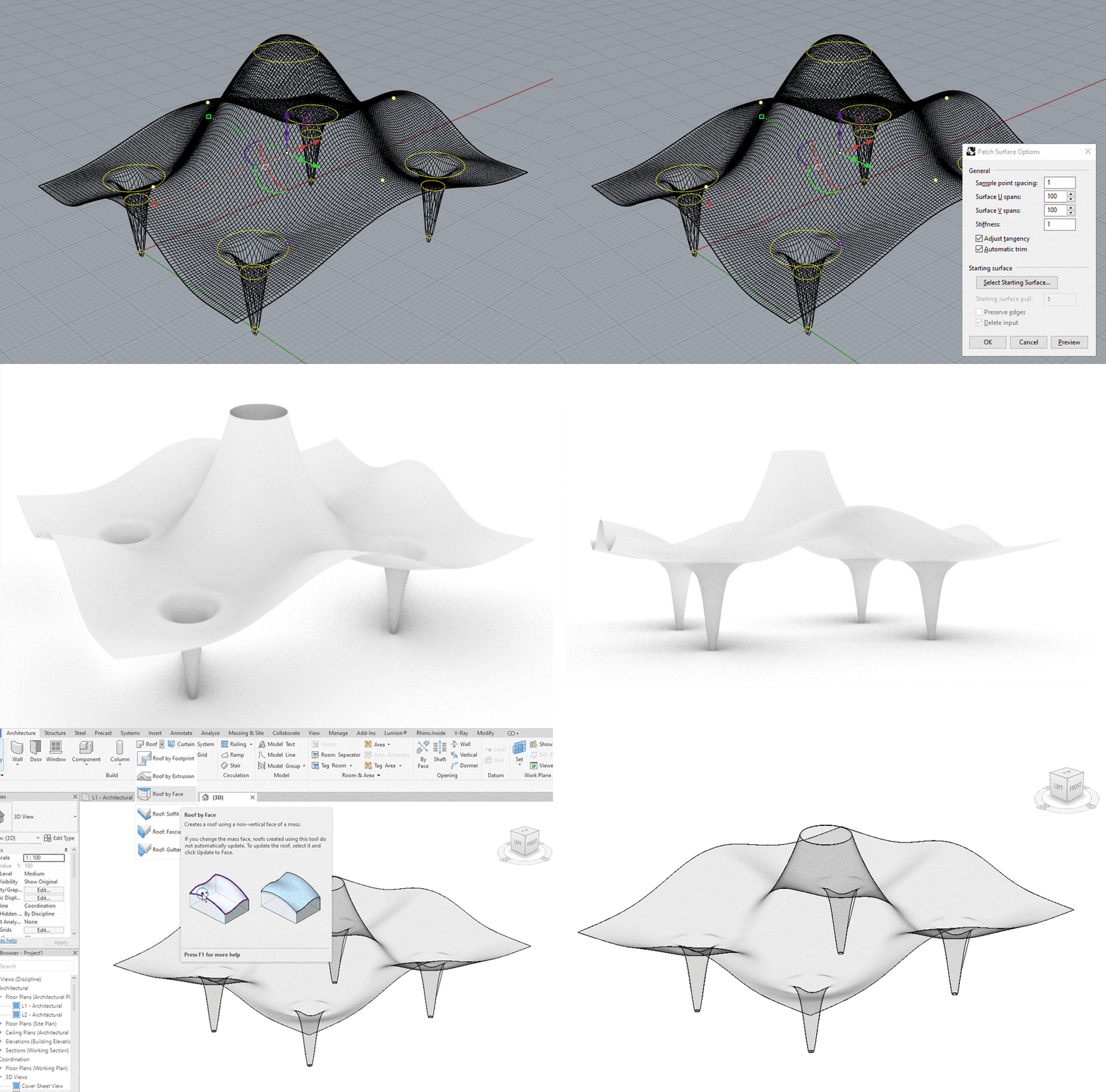

Draw circles in plan and add points at the peak of the required curves.
Move the circles and points to the correct height in an elevation view.
Select all the curves and points before using the patch command, Mesh split and delete as required.
Save as a Rhino 5 file and import into a Revit mass family, this mass can be loaded into a project and converted into a roof (or wall).
(Nov 2024) Use a thin roof (1 to 10mm) and don't have sharp curves in the Rhino model.